Co-design workshop — URSSAF Midi-Pyrénées
Y'atout Managers
Co-designing a management community's mutual-aid platform in a single day
- Role
- Workshop co-facilitation, needs framing, information architecture, prototyping
- Timeline
- 2026
- Format
- One-day workshop, within a 3-day sprint
- Tools
- Design Thinking, MoSCoW, SharePoint, Microsoft Lists, Power Automate
At a glance
- The problem
- Between sites, remote work and workload, managers no longer see what their peers are doing or whom to turn to, and sometimes feel isolated.
- The outcome
- In one day, the managers produced a complete site architecture and a paper prototype, handed over as a specification to the build team; the platform became Y'atout Managers.
- 12managers involved, from upstream sprint to mockup
- 4management profiles mapped
- 3needs kept out of the six families identified
Context and problem
The project stems from a two-day sprint bringing together twelve managers at URSSAF Midi-Pyrénées, around one question: in a context of growing workload and complexity, how do you build genuine support for managers? That sprint produced a profiling of the four management levels, a map of the challenges and six families of needs. Among the solutions imagined, one came back strongly enough to be developed: a shared space where managers pool what each already produces on their own. Six months later, a one-day workshop was devoted to turning it into a mockup.
"Remote work, hybrid work, multiple sites and everyone's workload mean we lack visibility on what others are doing, and on the existing resources we could call on. A manager sometimes feels isolated, and their needs are many and varied." — the problem as formulated by the managers themselves during the workshop.
Research methodology
Profiling management levels, in a two-day upstream sprint
With whom
12 managers at URSSAF Midi-Pyrénées
What it revealed
Four levels profiled (director, regional lead, service head, unit head): missions, scope, posture and expectations. Plus a map of the challenges and six families of needs. The central point: the need to adapt and question one's own practices.
Prioritising needs, by confronting what exists with new ideas
With whom
The managers, in the workshop
What it revealed
Three priority needs: managing interpersonal relations remotely, supporting and motivating, driving attractiveness and retention. Starting from what exists avoids reinventing what was already there.
Walking the journey in six steps, after defining what a feature is
With whom
The managers, in the workshop
What it revealed
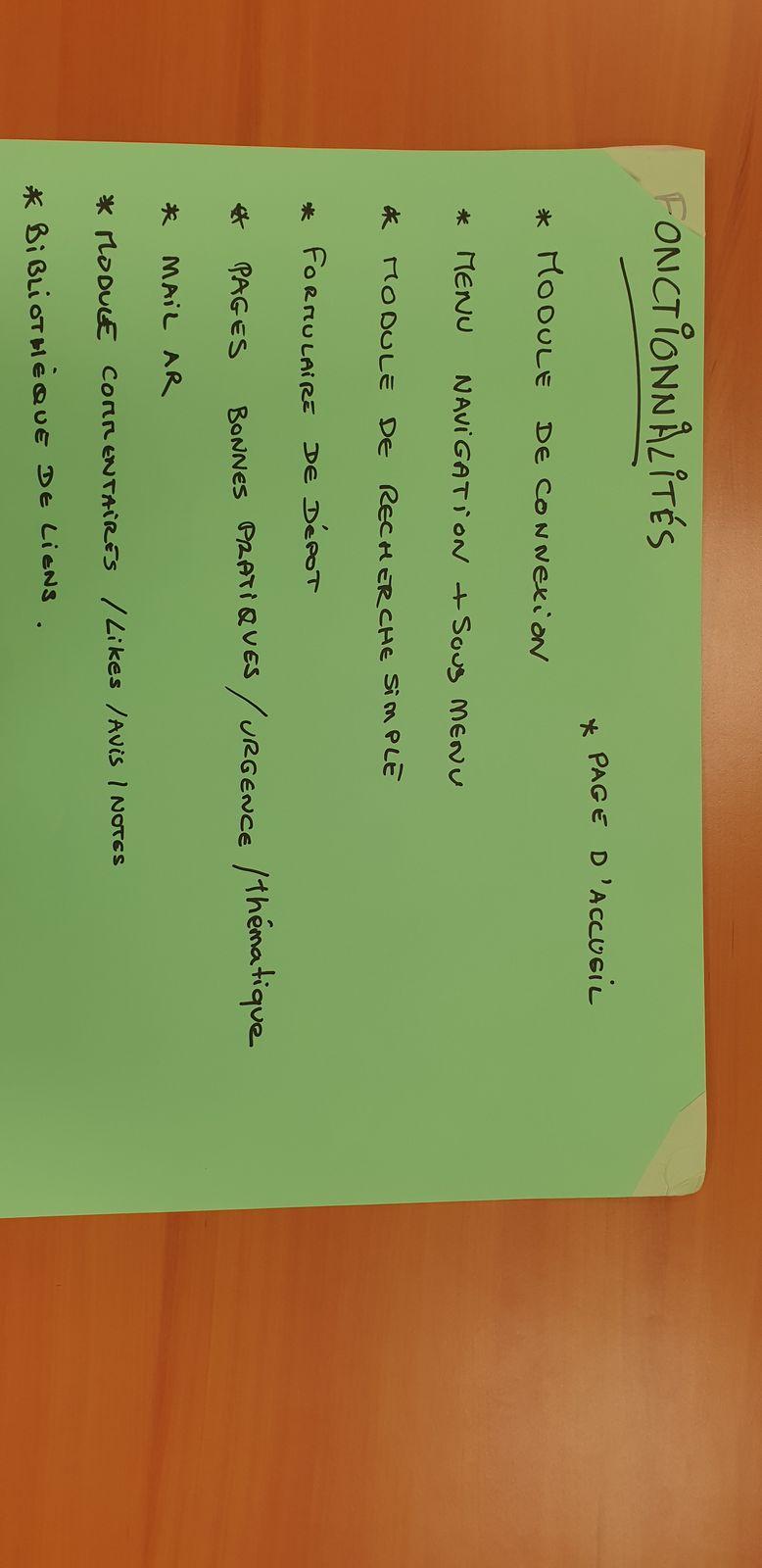
Separating feature, content and interface avoids leaving with a content wishlist. Then, at each step (arrival, search, consultation, interaction, return, contribution): what does the user do, what do they expect, which feature answers it? That walkthrough, rather than open brainstorming, surfaced the features.
MoSCoW prioritisation
With whom
The managers, in the workshop
What it revealed
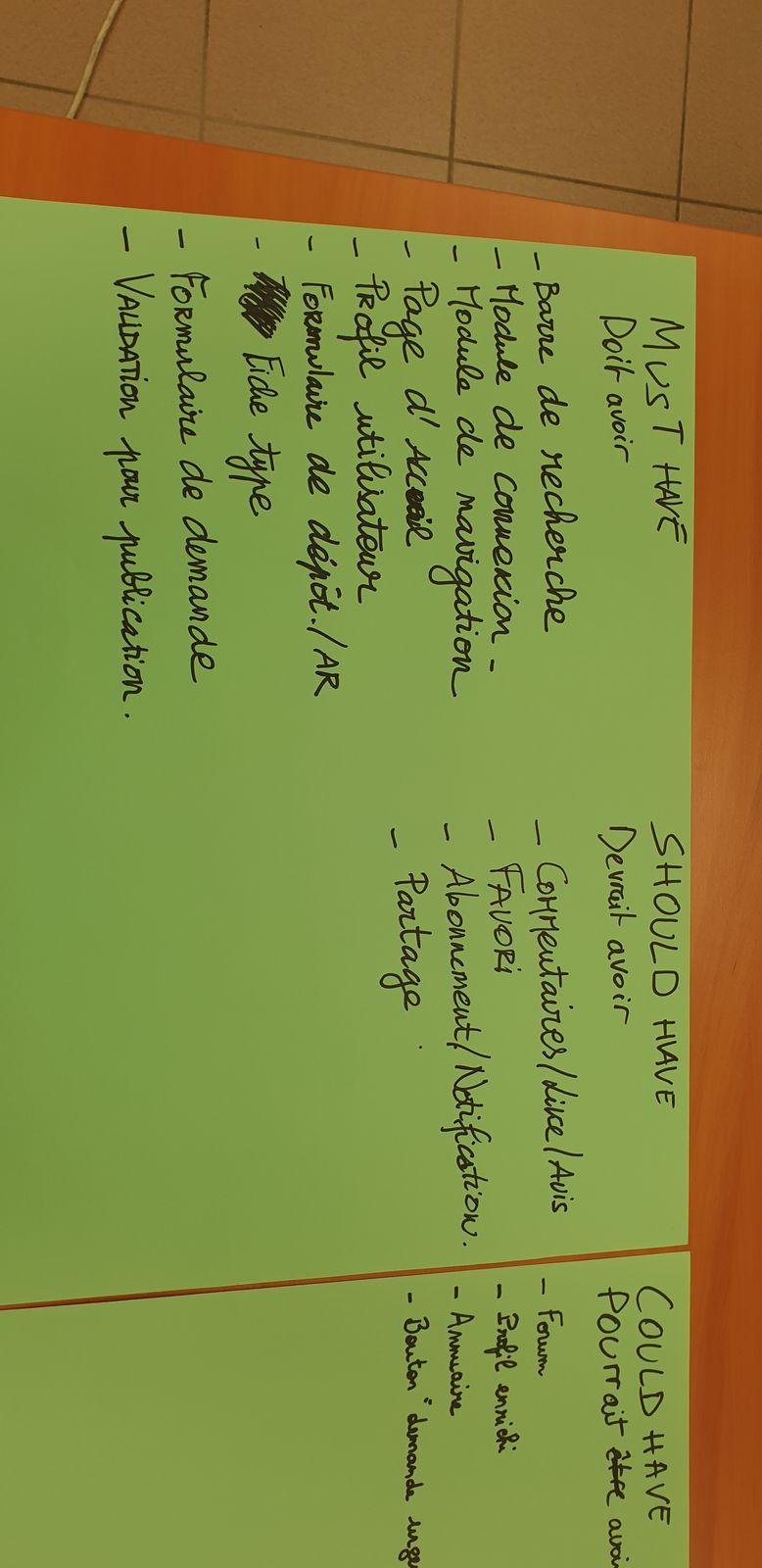
Must: search engine, login module, home page, user profile and request form. Should: favourites, subscriptions and notifications. Forum and "urgent request" button explicitly excluded from V1.
Paper prototyping in sub-groups, then merging
With whom
The managers, split into sub-groups
What it revealed
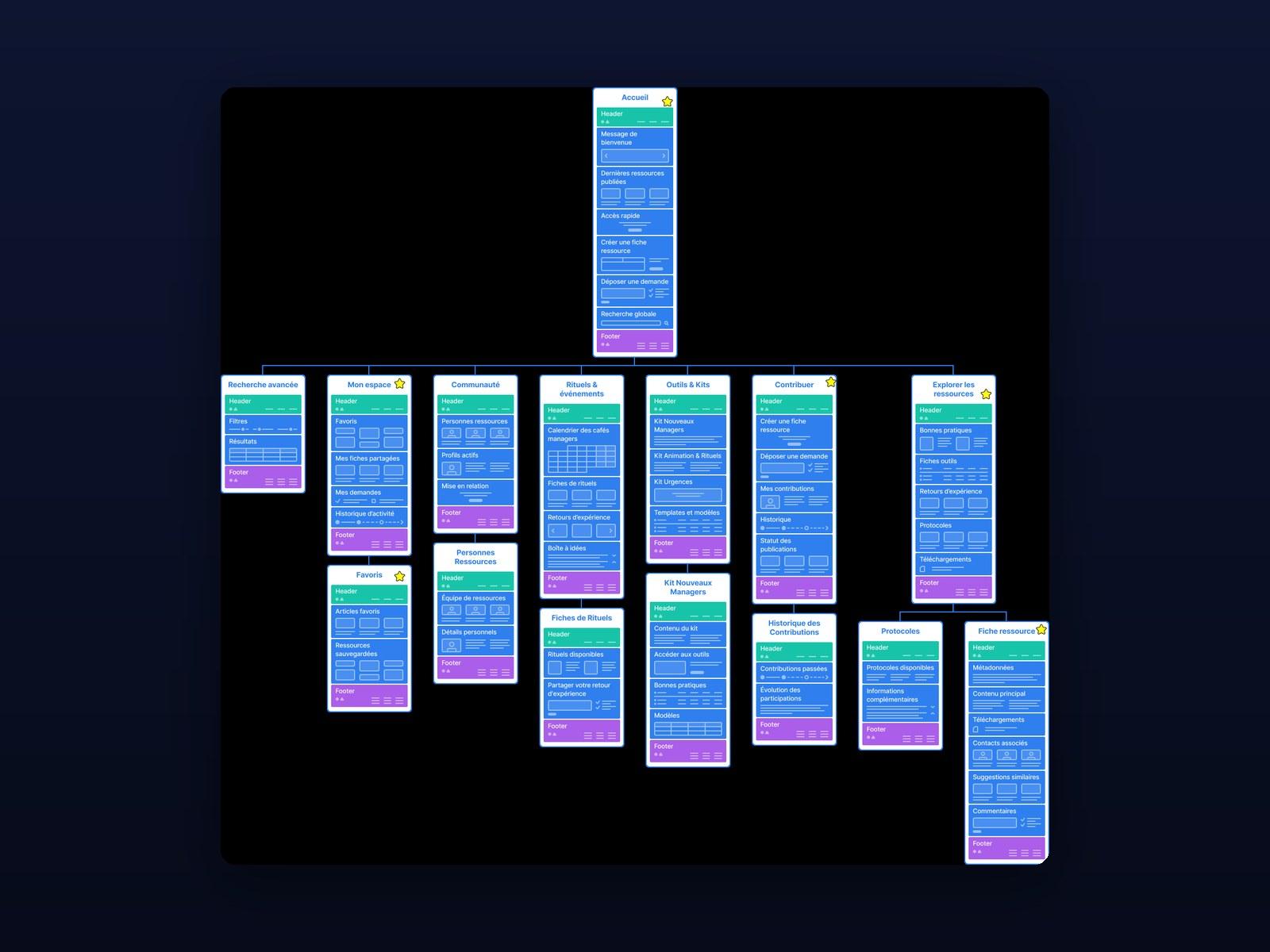
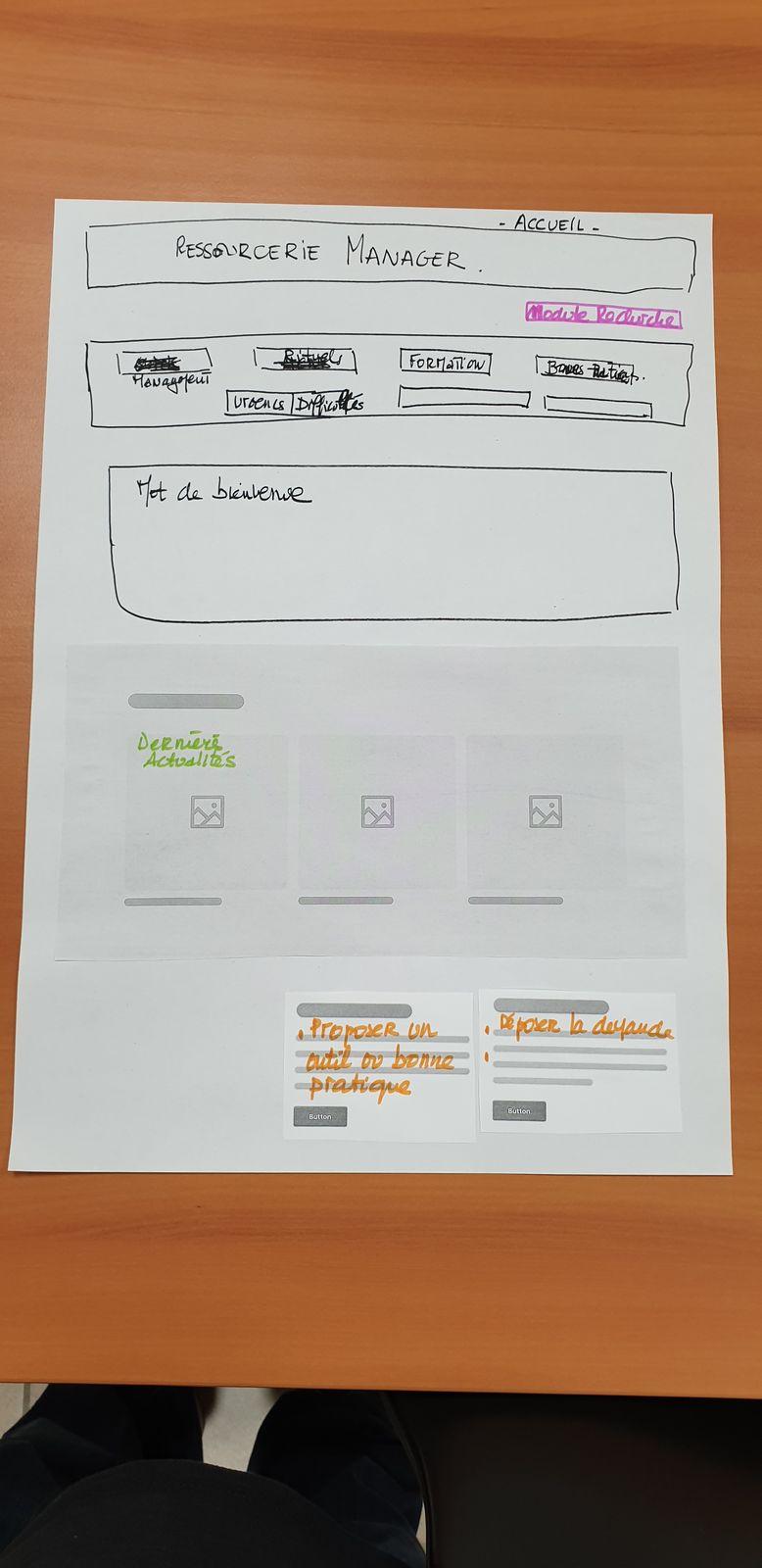
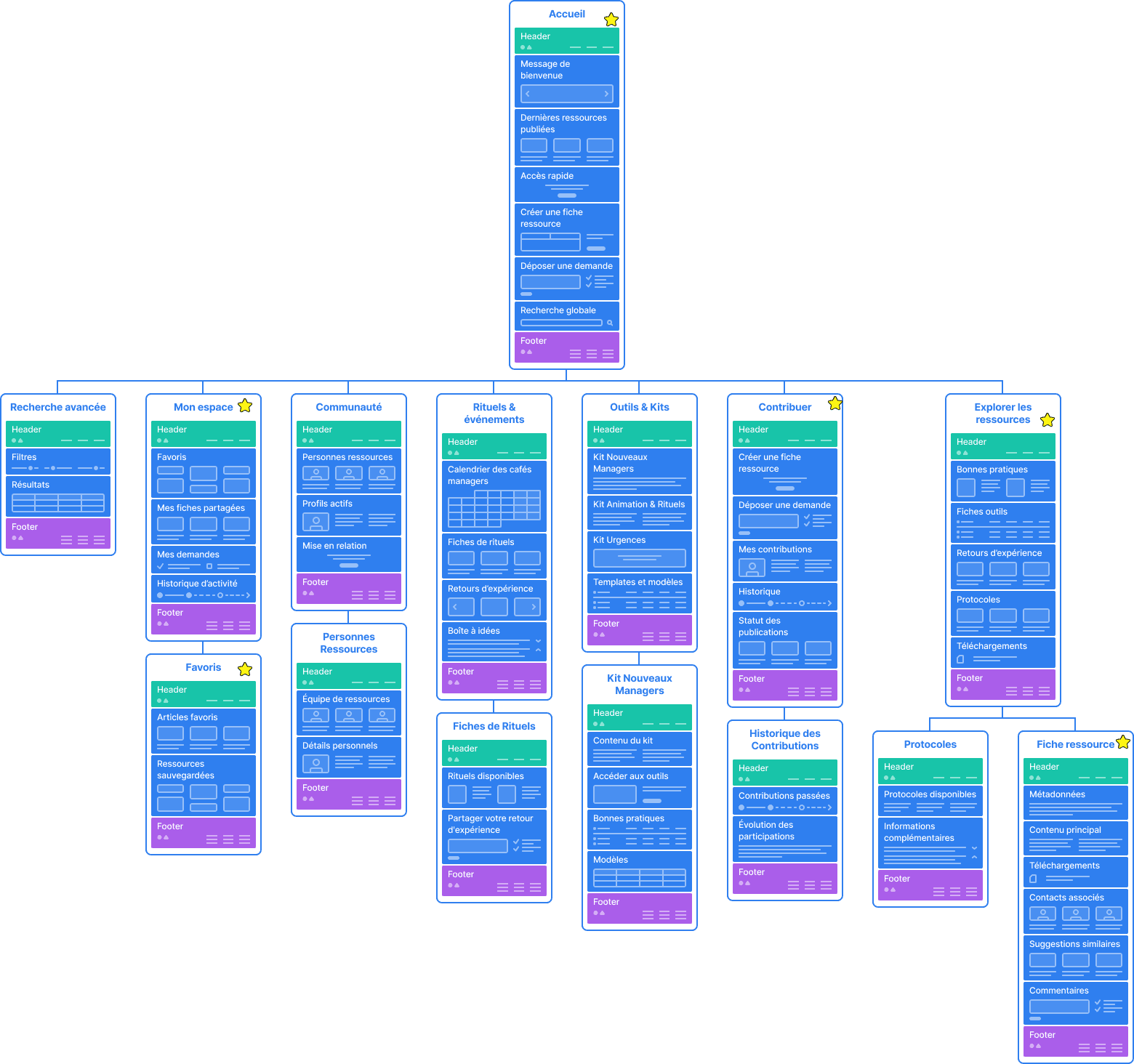
Each sub-group mocked up its own version, then only one was kept. The full site architecture was derived from it, and served as the specification for the build team.
User needs
As a manager isolated across several sites, I want know what my peers are doing and whom to ask, without depending on the informal encounters remote work has erased.
As a manager facing a sensitive situation, I want immediately find the protocol to follow and the person to call, without having to guess whom to reach.
As a newly appointed manager, I want have an onboarding kit for the role rather than piecing together basic practices alone.
Trade-offs
I chose
Starting from the upstream sprint's diagnosis
over
Redoing the needs gathering
because
The sprint had already profiled the four management levels in detail: the workshop didn't start from scratch.
I chose
Having several sub-groups mock up in parallel, then merging
over
A single mockup
because
It costs an hour more, but earns the buy-in of everyone who recognises themselves in the result.
I chose
A more legible entry point into the existing HR training tool
over
A new training catalogue
because
Managers knew the tool but got lost in it: the job was to fix access without duplicating the source.
I chose
Building no-code on the already-deployed ecosystem
over
A new tool, to be approved
because
It avoids the approval process and, above all, lets the teams evolve the platform without going through a developer: consistent with a hub meant to live off its contributions.
Final solution
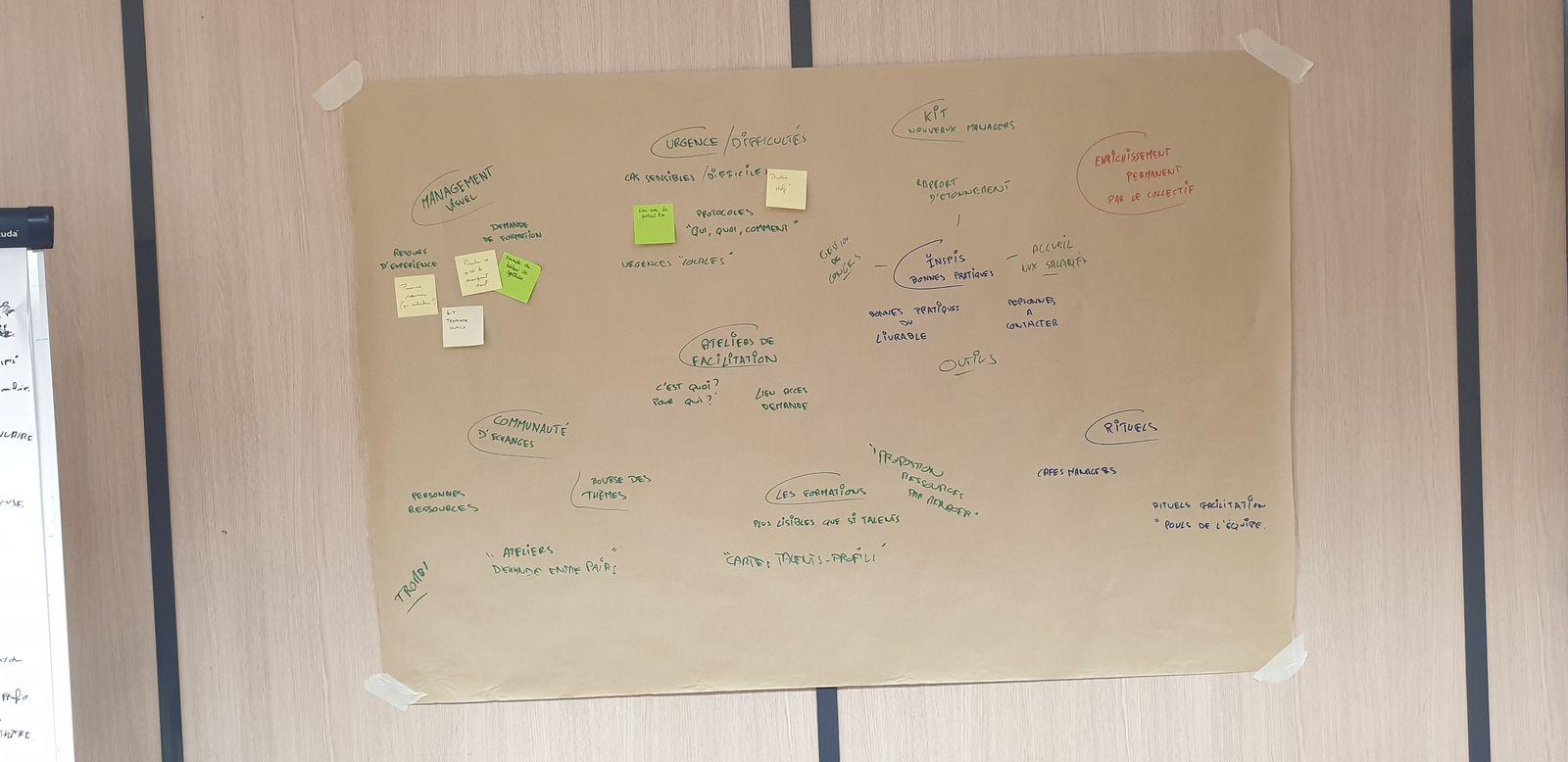
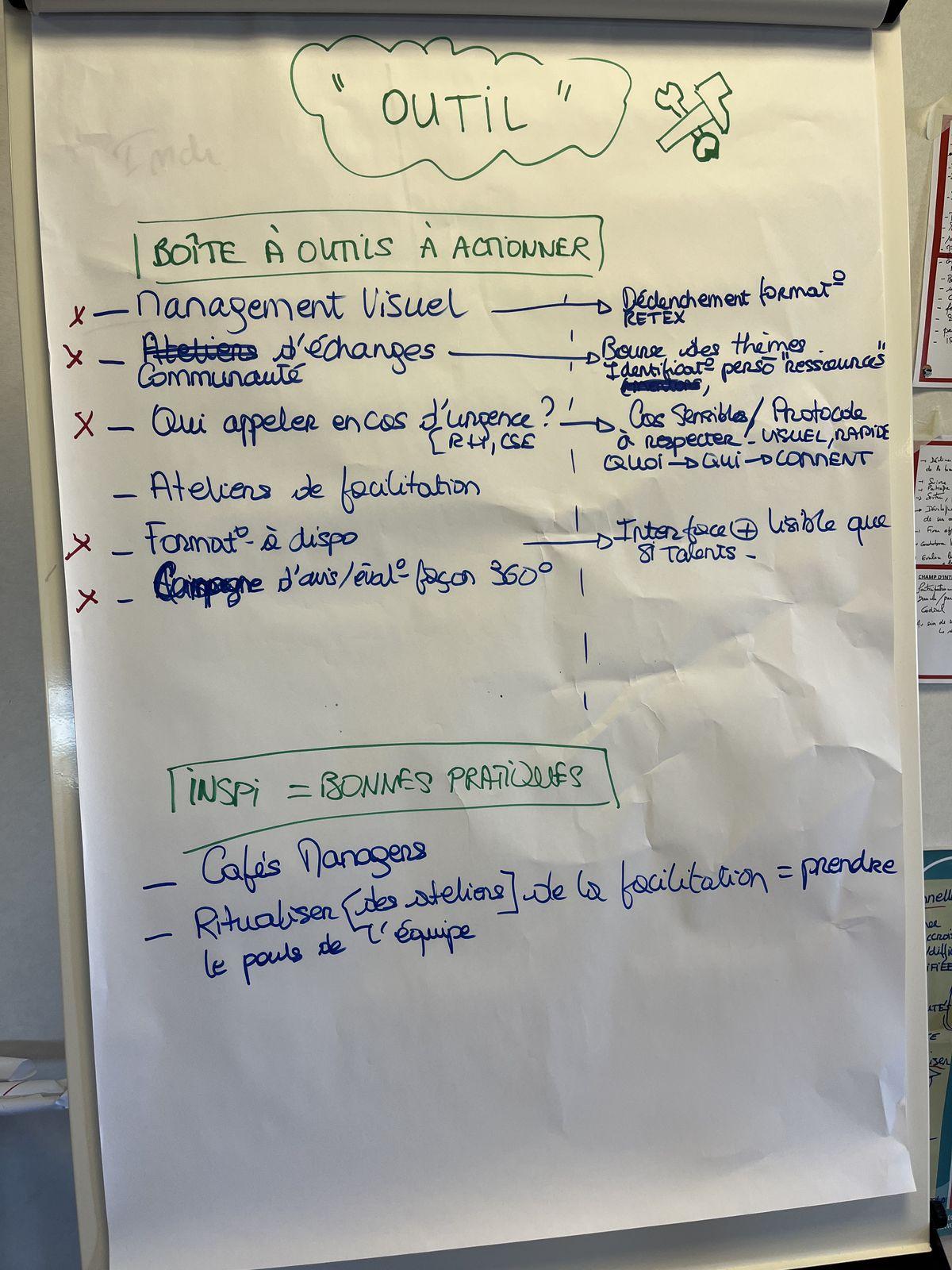
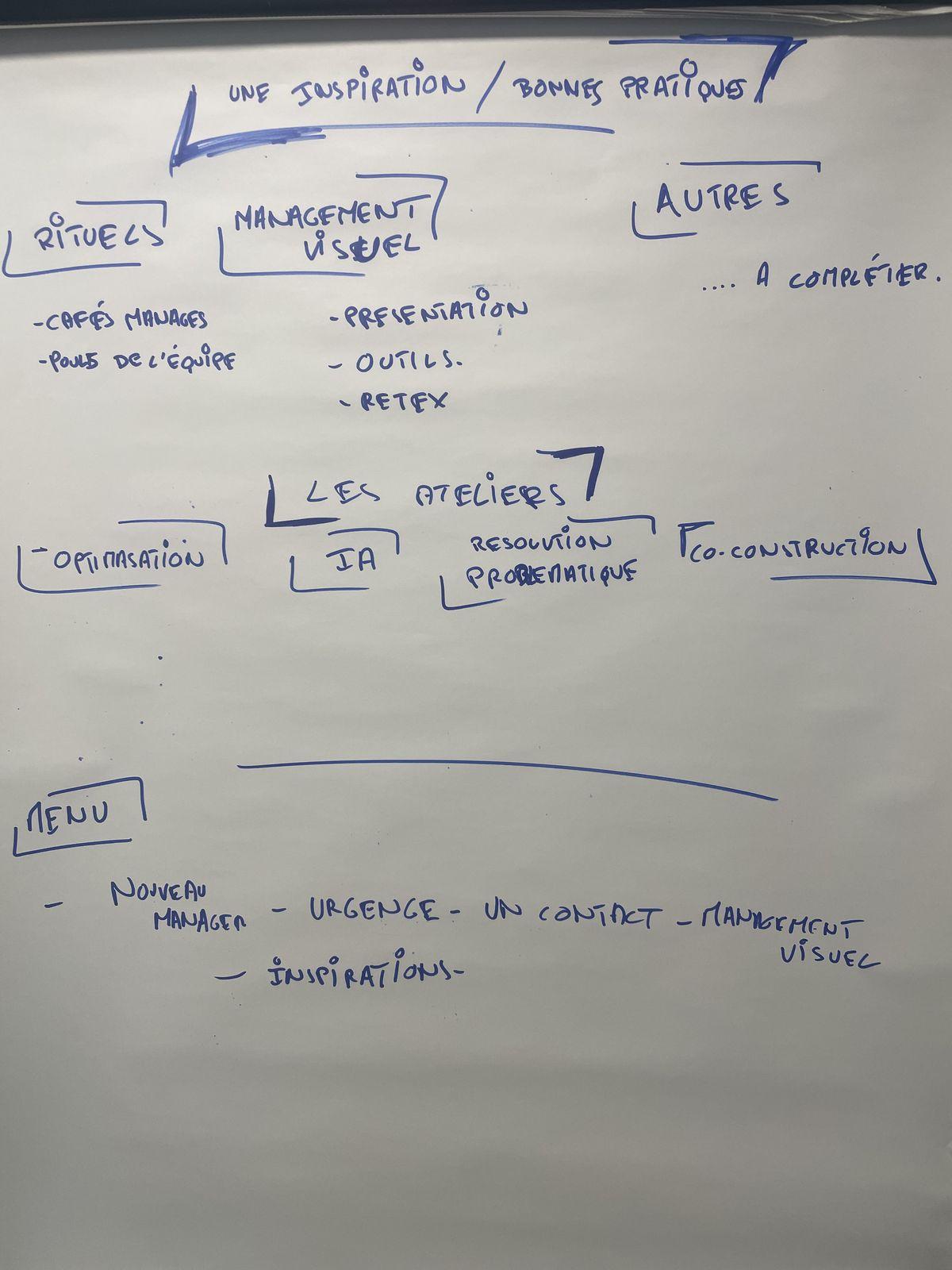
A collaborative resource hub structured in two halves: an actionable toolbox (visual management, "who, what, how" emergency protocols, facilitation workshops, training made more legible than in the HR tool, new-manager kit) and an inspiration space (best practices with the person to contact, rituals such as manager coffees). All continuously enriched by the community itself — the principle that distinguishes a resource hub from a plain intranet.
Sharing rather than top-down publishing
Any manager can contribute a practice, a tool, a lesson learned. Continuous enrichment by the community is written into the promise: without contribution, the hub reverts to an intranet nobody visits.
A directory of people, not just documents
Every best practice is tied to the role or person to contact for more. It directly answers the diagnosed isolation: the need wasn't file access, but knowing who to talk to.
Protocols for sensitive cases
A "who to call in an emergency" section, with protocols formalised as who / what / how. A manager facing a difficult situation no longer has to guess whom to reach.
Training made legible
Managers knew the HR training tool but got lost in it. Rather than a new catalogue, the hub offers a more legible entry point into what exists — fixing access without duplicating the source.
Deliverables
- 12managers involved, from upstream sprint to mockup
- 4management profiles mapped
- 3needs kept out of the six families identified
- 8features ranked Must have for V1
Impact
A problem stated by those who live it
The retained problem statement is the one written by the managers in the workshop, not a designer's rewording. On an internal tool nobody is required to use, that ownership is what makes adoption possible.
An owned scope, including its refusals
MoSCoW produced an explicit "Won't have" column — forum, urgent request button. Naming what won't be done prevents implicit trade-offs during the build.
A directly actionable mockup
The day ended on a complete site architecture and a merged paper prototype, handed over as a specification to the build team. The workshop doesn't produce intentions, it produces the next phase's input.
What I learned
- Defining what a feature is before listing them takes twenty minutes and avoids leaving with a content wishlist disguised as a product scope.
- Walking a journey step by step surfaces features no open brainstorm produces: "what do they do at this exact moment?" is more fertile than "what would you need?".
- Having several sub-groups mock up in parallel then merging costs an hour more than a single mockup, and earns the buy-in of everyone who recognises themselves in the result.