Personal project — live product
Facilithèque
An online toolkit for running workshops, reliable in front of the group
- Role
- Solo project: product design, UX/UI, front-end development and release
- Timeline
- 2026
- Format
- April to October 2026, in successive batches
- Tools
- HTML, CSS, JavaScript, Claude Code, Vercel
At a glance
- The problem
- A facilitator wanted a single tool to run her different workshops. Existing tools require an account, often a paid one, and the first version lost everything on reload.
- The outcome
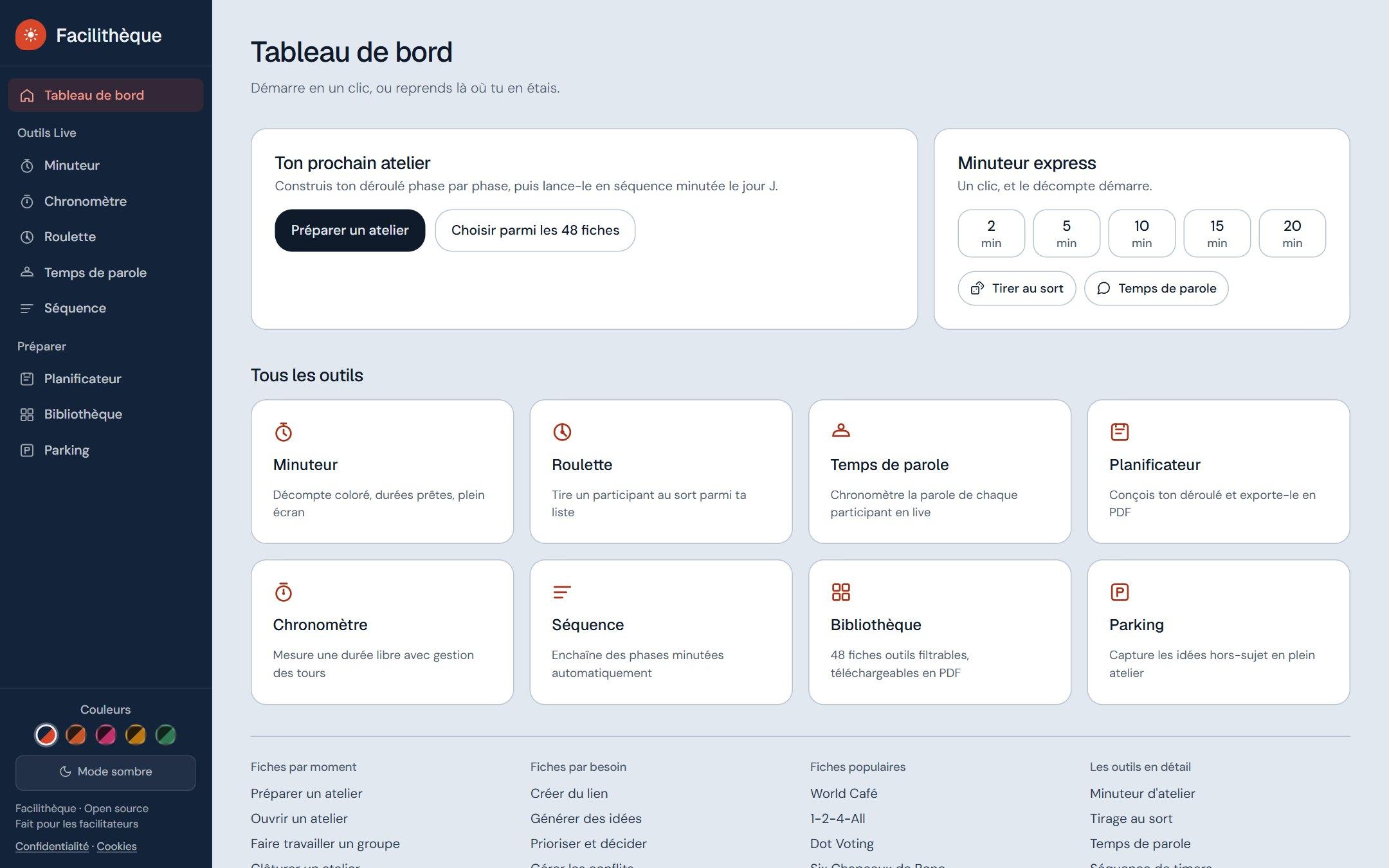
- A free toolkit with no account: 8 tools, 48 cards, a run sheet you prepare then facilitate, readable on a projector (AA contrast).
- AAcontrast level of every text (WCAG)
- 8tools to prepare and facilitate
- 48method cards
Context and problem
Born from a facilitator's need, the tool brings together a timer, random draw, speaking time, a timed run sheet and 48 method cards. Live since April 2026, improved in batches until October.
During the workshop, a mistake shows in front of everyone. Yet a reload wiped the sequence, and the timer fell behind in the background.
Research methodology
Usage review of a workshop
With whom
No participants, on desktop and phone
What it revealed
Risks concentrate during the workshop: lost sequence, lagging timer, run sheet typed twice.
Competitive scan
With whom
6 tools, including SessionLab and Modulo
What it revealed
They all fix a delay in one move, but require an account.
Contrast measurement
With whom
Every text, on each palette
What it revealed
Cards stood out poorly from the background. After the fix, everything reaches AA.
Iterations
September 2026
Losing nothing mid-workshop
What changed
Timer, sequence and speaking time survive a reload; the countdown follows real time.
Why
The worst case: losing everything, or a wrong timer, in front of the group.
September 2026
Linking preparation and facilitation
What changed
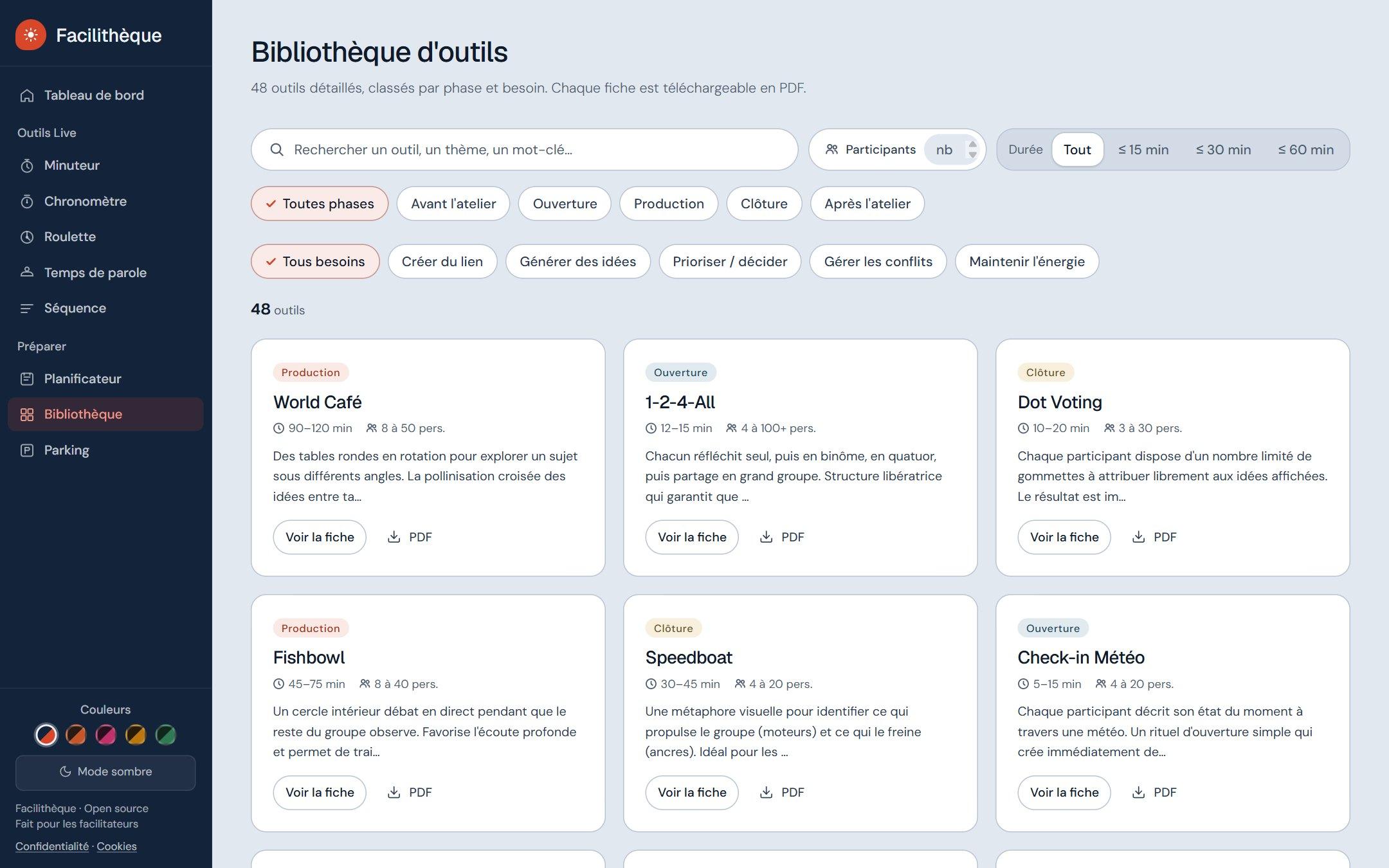
A plan goes into the sequence in one click; the library filters by duration and group size.
Why
"I have 12 people and 20 minutes" had no answer.
October 2026
Rethinking projection
What changed
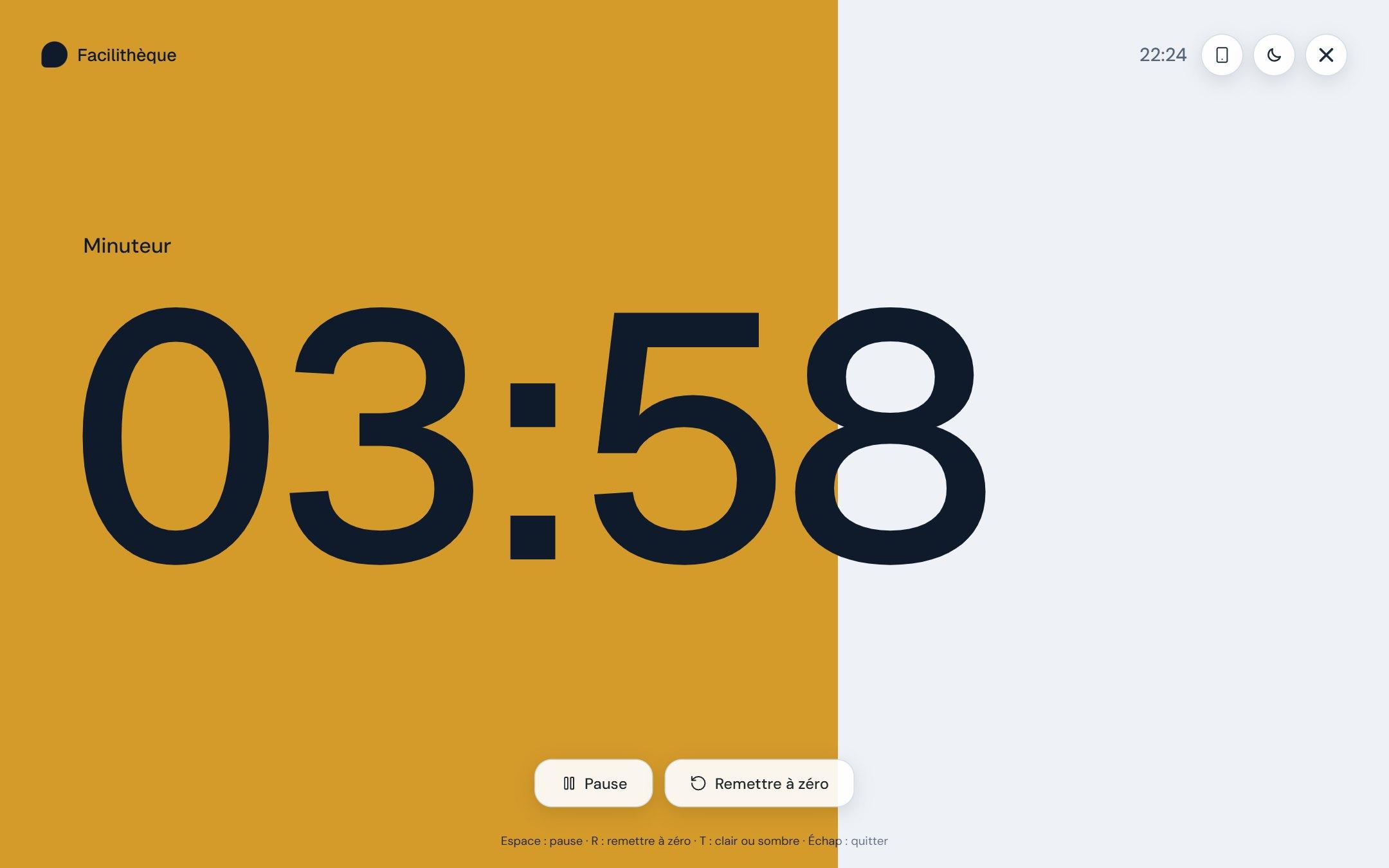
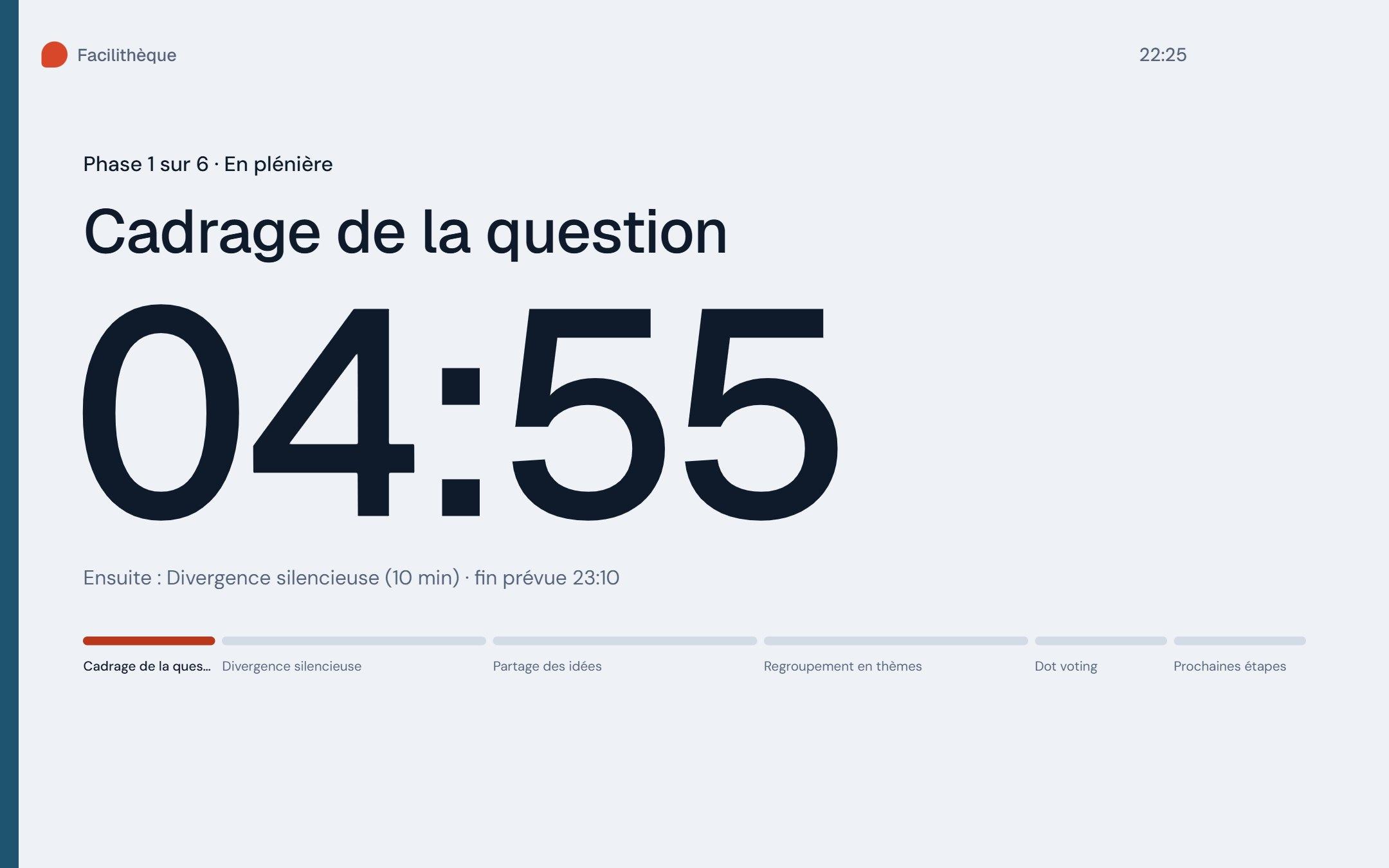
"Roadmap" style, a timer whose background moves forward, the phone as a remote.
Why
Three directions mocked up and compared; the phone wasn't linked to the projected screen.
October 2026
A sequence built for the unexpected
What changed
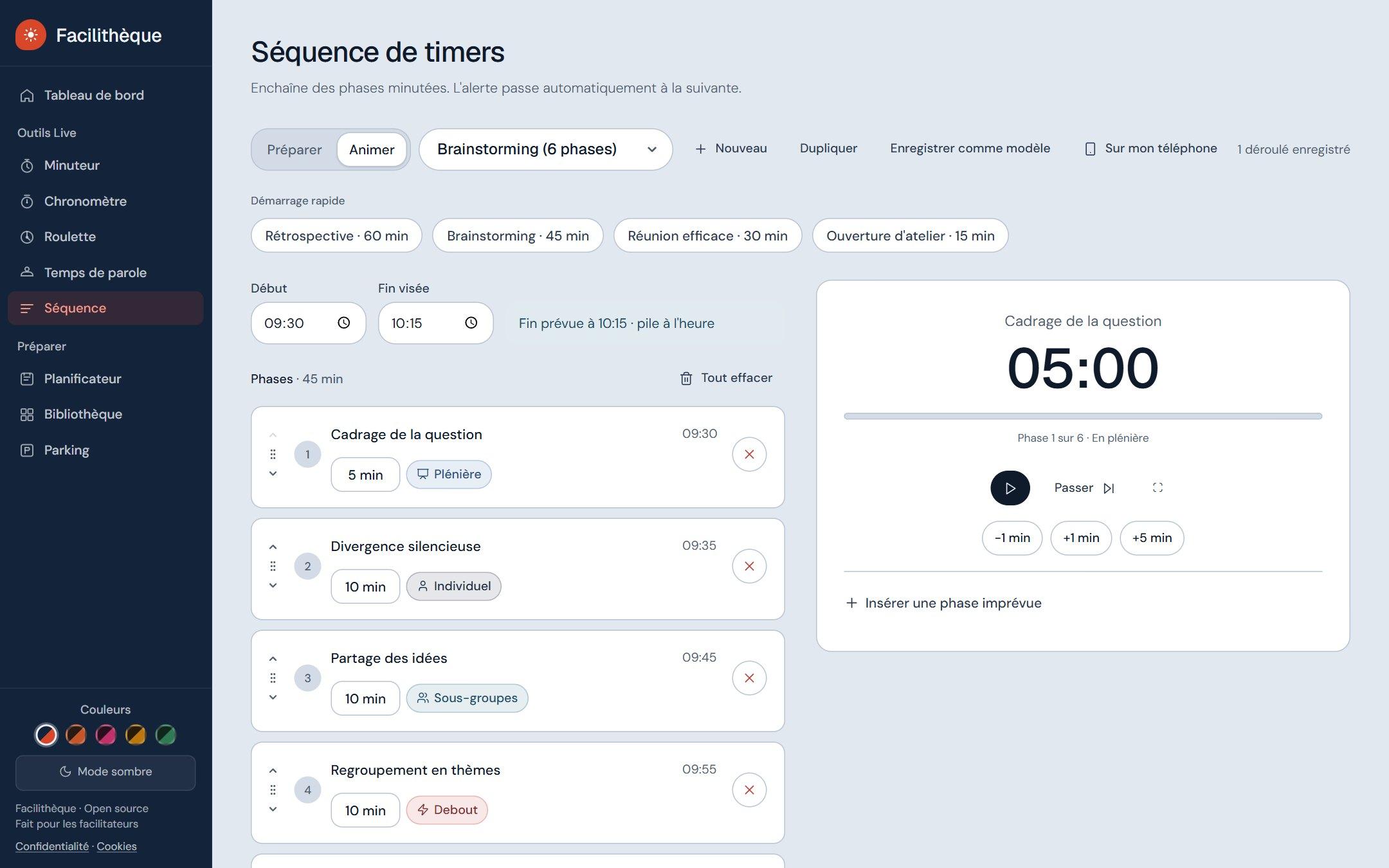
Express entry, live adjustments of −1, +1 or +5 minutes, then a single run sheet: Prepare and Facilitate.
Why
Adding a phase took 4 to 5 moves, and nothing absorbed a delay.
Trade-offs
I chose
Staying account-free, with a QR code to move to the phone
over
An account to retrieve sequences
because
"Free, no sign-up" is the strongest argument against paid tools, and avoids a server and GDPR.
I chose
Computing the time left from the end time
over
Subtracting one second per tick
because
In the background, the browser slows ticks down: the countdown fell behind.
I chose
One run sheet, two views: Prepare and Facilitate
over
Separate planner and sequence
because
Every phase had to be entered twice.
Final solution
A free app with no account for two moments: preparing calmly, then facilitating on the projector. It works offline and loses nothing on reload.
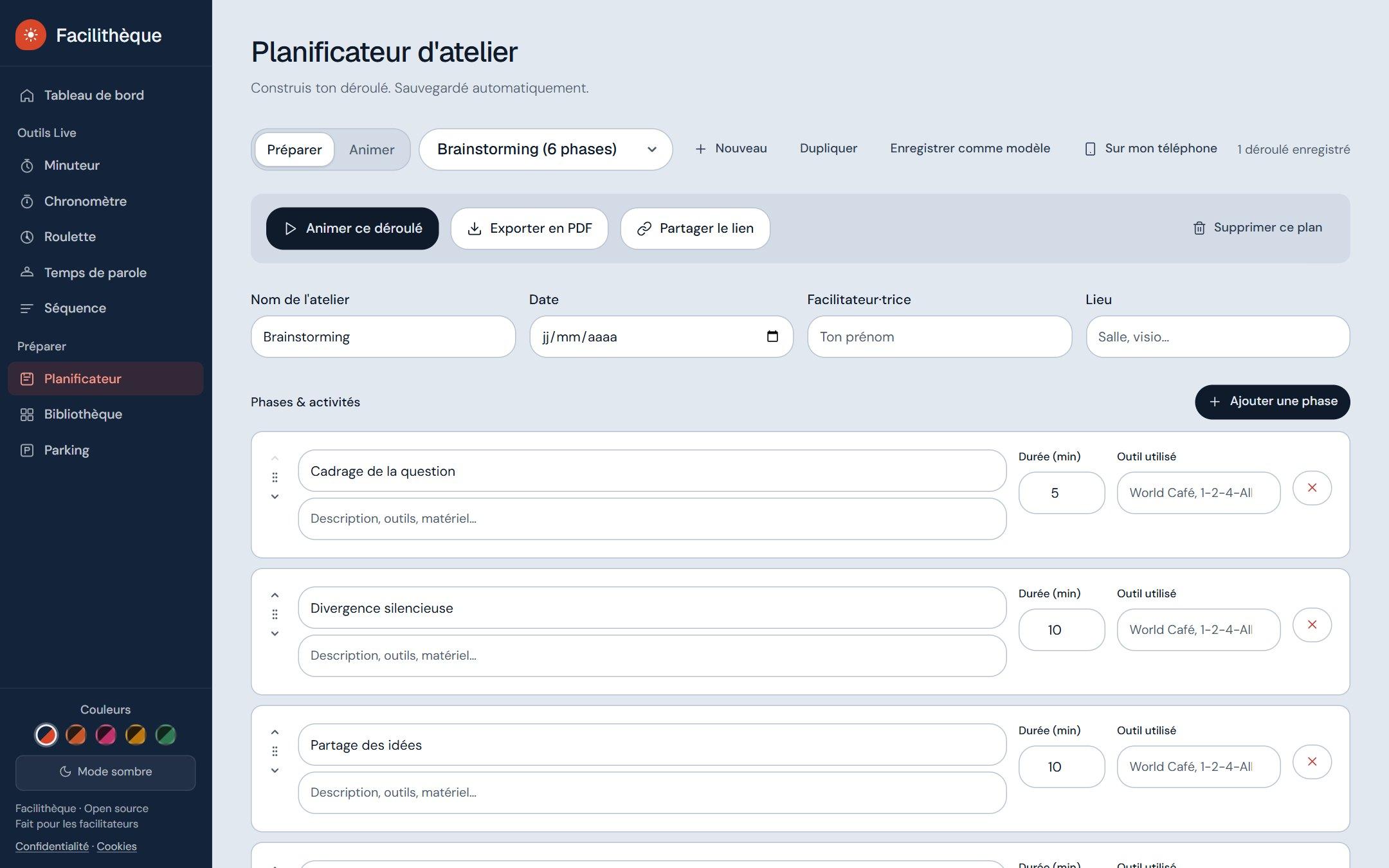
One run sheet, two views
Prepare: instructions and PDF export. Facilitate: timer and live adjustments.
A library that answers the real questions
48 cards, filtered by moment, need, duration and group size.
The phone as a remote
It drives the projection and receives a run sheet by QR code.
Findable from a search engine
One web page per card, generated from the app's data.
Deliverables
- 8tools to prepare and facilitate
- 48method cards
- 68web pages in the sitemap
Measured outcomes
- AA
- contrast level of every text (WCAG)
- Measured by · measured text by text, on each palette
What I learned
- A usage review shows where to look, not what works: the test with five facilitators is still to be run.
- In a workshop, reliability comes before features.
- Shipping in small batches lets you improve the tool without breaking it.